.png?width=1600&height=800&name=einfache_leichte_sprache%20(1).png)
Practice & Business
Accessibility Law
.png?width=1600&height=800&name=alt-texte%20(1).png)

Images bring websites to life: They explain complex issues, arouse emotions and draw attention to the essentials. But what happens if an image cannot be loaded or a visually impaired person visits your site? Then a small, often overlooked HTML attribute decides whether your content remains comprehensible: the ALT text.
What many companies underestimate: ALT texts are not just a tool for digital accessibility. They are a tangible SEO factor that can measurably improve your visibility in Google searches and image searches. In this article, we show you why you should consider both perspectives together and how you can efficiently get to grips with the topic.
ALT texts (also known as alternative texts or alt attributes) are short descriptions that are stored in the HTML code of an image. They fulfill two central tasks:
For people: screen readers read out ALT texts so that people with visual impairments can understand the image content. Around 2.2 billion people worldwide live with a visual impairment. If ALT texts are missing or poorly formulated, these users are excluded from important content.
For search engines: Google cannot interpret images in the same way as humans. The algorithm uses the ALT text together with the file name and surrounding text to understand the image content and index it correctly. Without ALT text, an image basically remains invisible to search engines.
Google Image Search records around 3.5 billion search queries every day. This is an enormous traffic potential that many companies leave untapped. Optimized ALT texts help you to tap into this potential:
Better placement in image search: Google uses ALT text as the primary signal to evaluate the relevance of an image for a specific search query. A precise, descriptive ALT text increases the likelihood that your image will appear in the search results and lead visitors to your site.
Greater page relevance: Search engines rate ALT text as part of the overall page content. If your ALT texts contain relevant terms that match the topic of the page, this strengthens the relevance of the content. This has a positive effect on the ranking of the entire page.
Visibility in AI-supported search results: In 2026, AI systems such as Google's AI Overviews will play an increasingly important role in the presentation of search results. These systems also analyze visual content and its descriptions to generate answers. Well-formulated ALT texts increase the chance that your content will be considered in these new formats.
Fewer bounces in the event of loading problems: If an image fails to load for technical reasons, the browser displays the ALT text as a placeholder. This means that the content remains comprehensible and users do not immediately jump off, which in turn has a positive effect on the length of stay and therefore on your ranking.
In addition to the SEO benefits, there is another important reason to take ALT texts seriously: the Barrier-Free Strengthening Act (BFSG). Since June 28, 2025, the law has obliged numerous companies in Germany to make their digital offerings accessible.
This is based on the Web Content Accessibility Guidelines (WCAG 2.1). Success criterion 1.1.1 "Non-textual content" clearly states that a text alternative that fulfills the same purpose must be provided for all non-textual content. This applies to images, icons, infographics, buttons and all other visual elements.
Non-compliance could result in warnings, fines and, last but not least, damage to your image. But regardless of the legal dimension, if you consistently maintain ALT texts, you not only make your website legally compliant, but also more accessible for all visitors.
The good news: writing good ALT texts is not rocket science. If you stick to these principles, you will meet the requirements of both accessibility and search engine optimization:
1. Describe the purpose, not just the look. Ask yourself: Why is this image here? A product image on a store page needs a different description than a decorative background image.
2. Stay under 125 characters. Most screen readers break off the ALT text after about 125 characters. This forces conciseness, which also benefits search engines.
3. Do not use "image of" or "photo shows". Screen readers already announce that it is an image. The repetition is superfluous and wastes valuable characters.
4. Use relevant terms naturally. If the image fits thematically with the page content, you can and should use relevant search terms in the ALT text. But: Avoid keyword stuffing. ALT text such as "ALT text SEO accessibility BFSG optimization" does more harm than good.
5. Leave decorative images blank. Purely decorative elements (dividing lines, background patterns) are given an empty alt attribute (alt=""). This way, the screen reader skips the image and does not disrupt the reading flow.
6. Make each description unique. Avoid identical ALT texts for different images. Each image has its own context and deserves an individual description.
Bad: alt="image" No context, no added value. Neither screen readers nor search engines can do anything with it.
Better, but still not optimal: alt="Woman at laptop" Descriptive, but too general. There is no reference to the page content.
Good: alt="Employee checks accessibility report in the SiteCockpit dashboard" Concrete, contextual and contains a relevant term. A benefit for both accessibility and SEO.
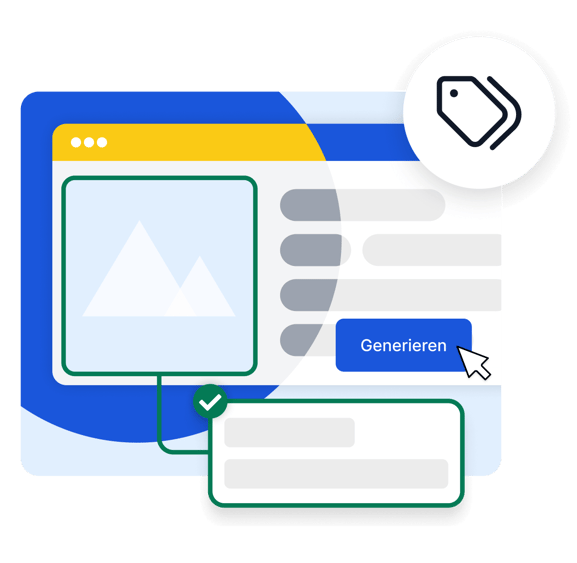
The theory sounds simple. In practice, it looks different: Many websites have hundreds or thousands of images with missing or outdated ALT texts. Checking and labeling each image manually takes a lot of time and resources.
This is exactly where easyAlt from SiteCockpit comes in. As part of our AI-powered easyAI product family, easyAlt automatically generates descriptive ALT texts for the images on your website. The texts are created using European AI, directly in your SiteCockpit dashboard. This allows you to quickly add hundreds of missing ALT texts, improve your accessibility and maximize your SEO potential at the same time.
Discover easyAlt now and have ALT texts generated automatically →
ALT texts are at the interface between accessibility and search engine optimization. They make your website accessible for people with visual impairments, meet the legal requirements of the BFSG and improve your visibility in Google search and AI-supported search results at the same time.
If you view ALT texts as a tedious chore, you are giving away twice the added value. If you use them strategically, you win on both sides: more reach and a more inclusive web.
Would you like to know how accessible your website currently is? Test it for free with the SiteCockpit Livecheck and get an initial assessment in under 60 seconds.
.png?width=1600&height=800&name=performance%20(1).png)